Skip to content

App limits

Free app blockers for iPhone: what you get

A free app blocker can do a lot: daily limits, schedules and blocks for chosen apps. What free tools rarely change is the moment you override your own limit. This guide covers the free options and what to check before you rely on one.

In this guide

What free already covers

Apple Screen Time is free on every iPhone. In iOS 27 it offers Time Allowances, Screen Time Schedules and an Always Allowed list; in iOS 26, App Limits and Downtime. For many people, a schedule for two apps is all they need.

Reference: Apple: Screen Time Schedules and Time Allowances

Free options beyond Screen Time

ScreenZen describes itself as free with optional donations. It offers daily limits, scheduled blocks for apps and websites, and a lock mode intended to make limits harder to bypass.

Warden has a free plan, and its pricing page lists what the paid plan adds. Other blockers offer free tiers or trials; check each provider's current plans, because what is free changes.

Warden pricing: Free and Pro plans

Reference: ScreenZen
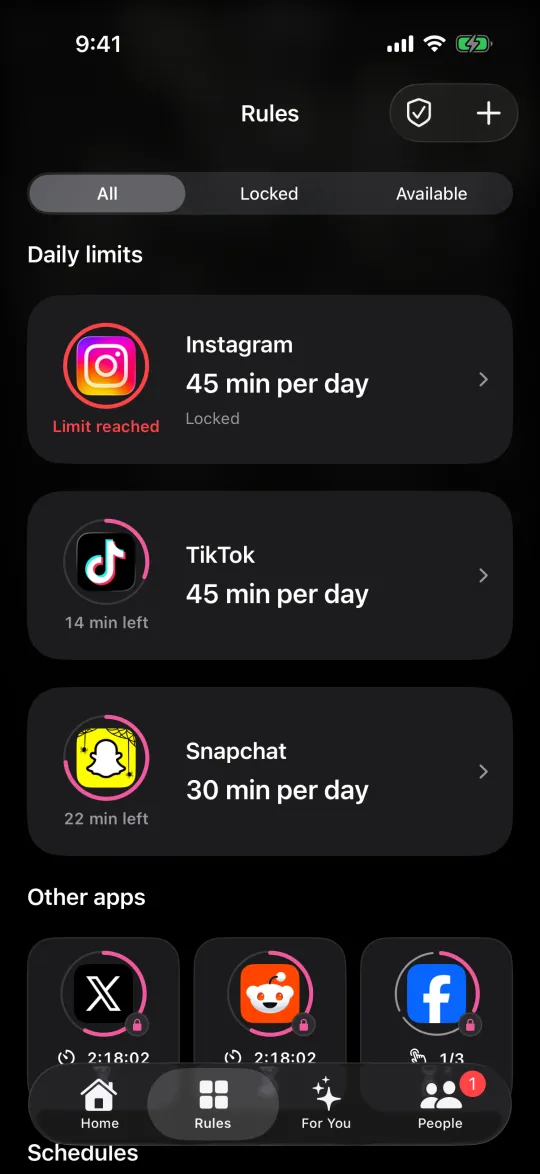
The Rules screen listing daily limits for Instagram, TikTok and Snapchat

What to test before you rely on it

  • Does the block cover the website as well as the app?
  • What happens when you try to end it early?
  • Can you still make calls and reach the tools you need?
  • Does it keep working after you restart the phone?

How to test an app blocker on iPhone

When a free blocker is not enough

If the free tools work but you keep overriding them, the missing piece is usually not a feature but who controls the override. A locked mode or another person's approval changes that moment.

Warden's Lockdown keeps ordinary early unlocks off until a block ends, and a trusted person can approve early access for the rules you choose. Check which features each plan includes before you decide.

How Warden unlock approval works

Example: a free week before paying for anything

Start with Screen Time: one schedule for your two most-used feeds from 10 PM to 7 AM, and a note each evening on whether it held. If it held most nights, you may need nothing else. If you tapped past it most nights, try a free plan with a stricter mode, then decide whether a paid feature solves a problem you actually had.
Set it up without adding unnecessary rules

Daily limits, schedules and focus sessions

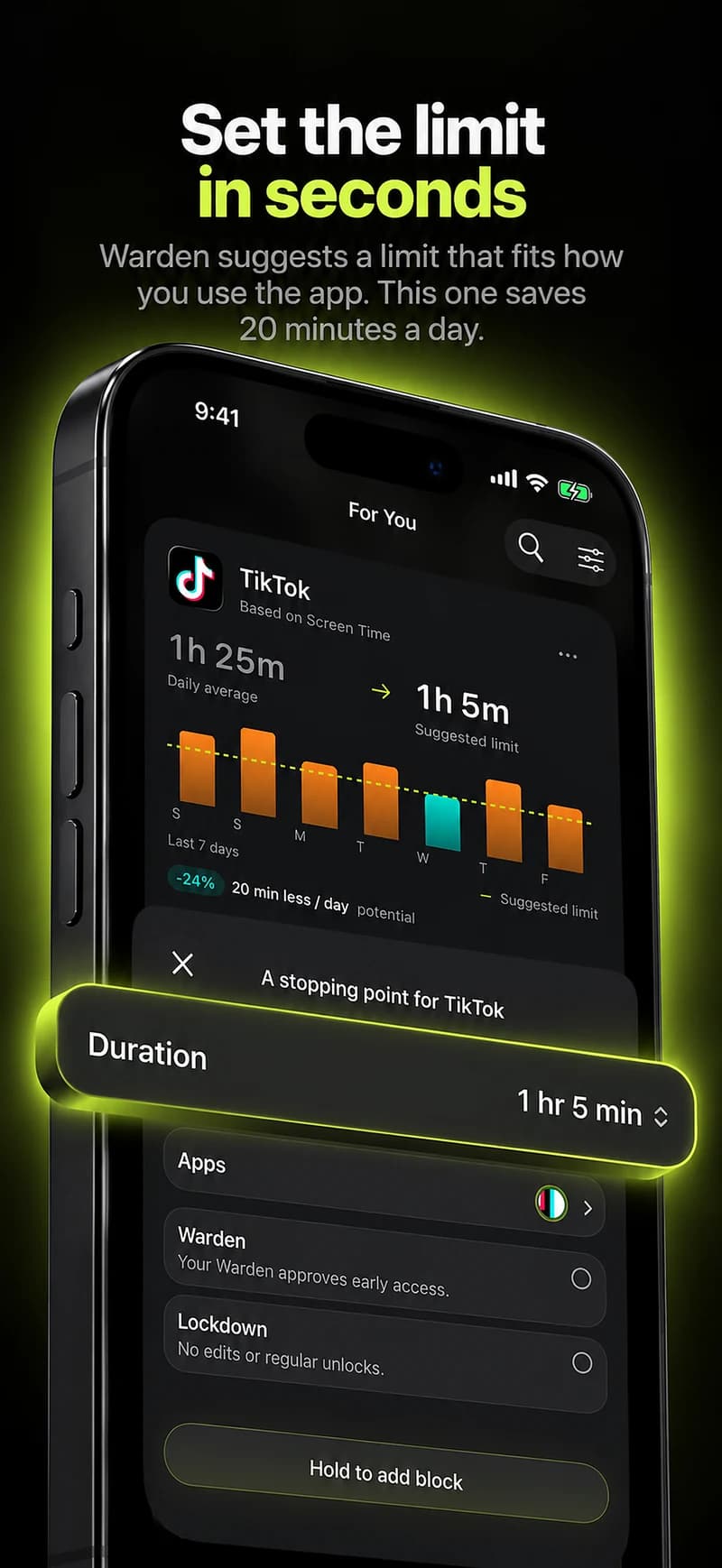
Install Warden and connect Screen Time when iOS asks. Then open Rules and tap the plus button.

Choose the apps or scope involved in this particular interruption. Use an allowance for total use, a schedule for recurring hours, or a session for a one-off task.

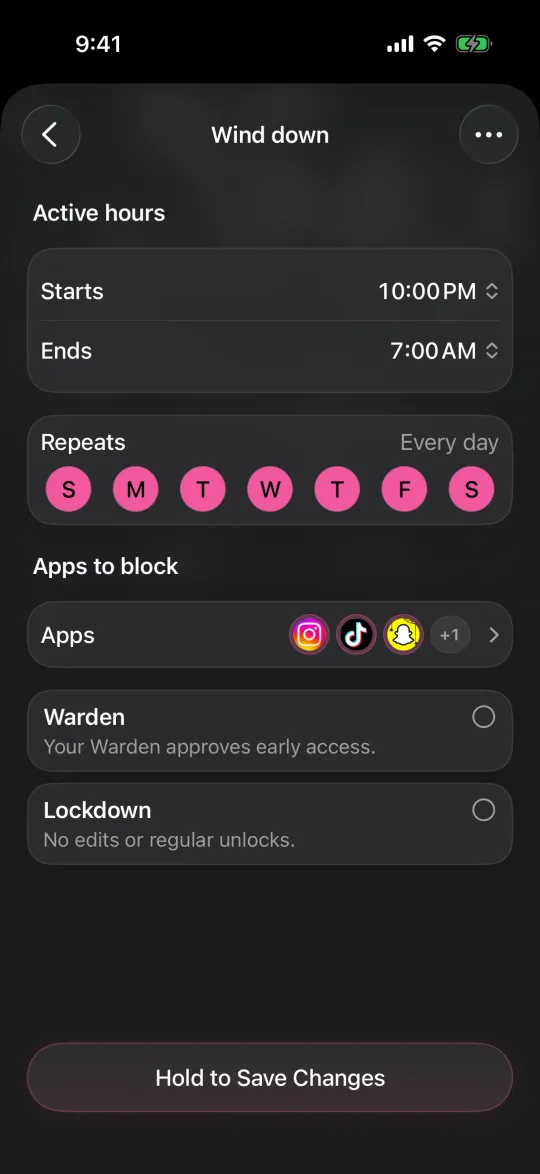
Editing a schedule that blocks apps from 10:00 PM to 7:00 AM every day

What Standard, Warden and Lockdown do

Choose Standard when you want to manage the limit yourself. Choose Warden when a person you trust should review early-access requests. Choose Lockdown to keep ordinary early unlocks off until the block ends.

Choose the access mode, then hold the save button to set the rule. Try a short block before using a long one. Emergency access remains separate from ordinary unlock requests.

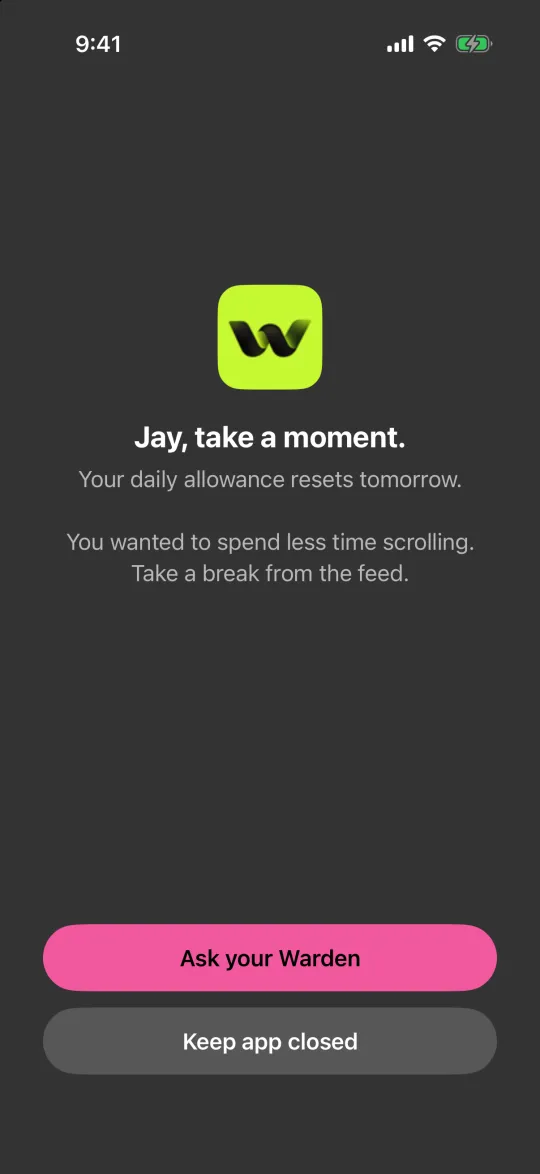
The block screen with Ask your Warden and Keep app closed buttons

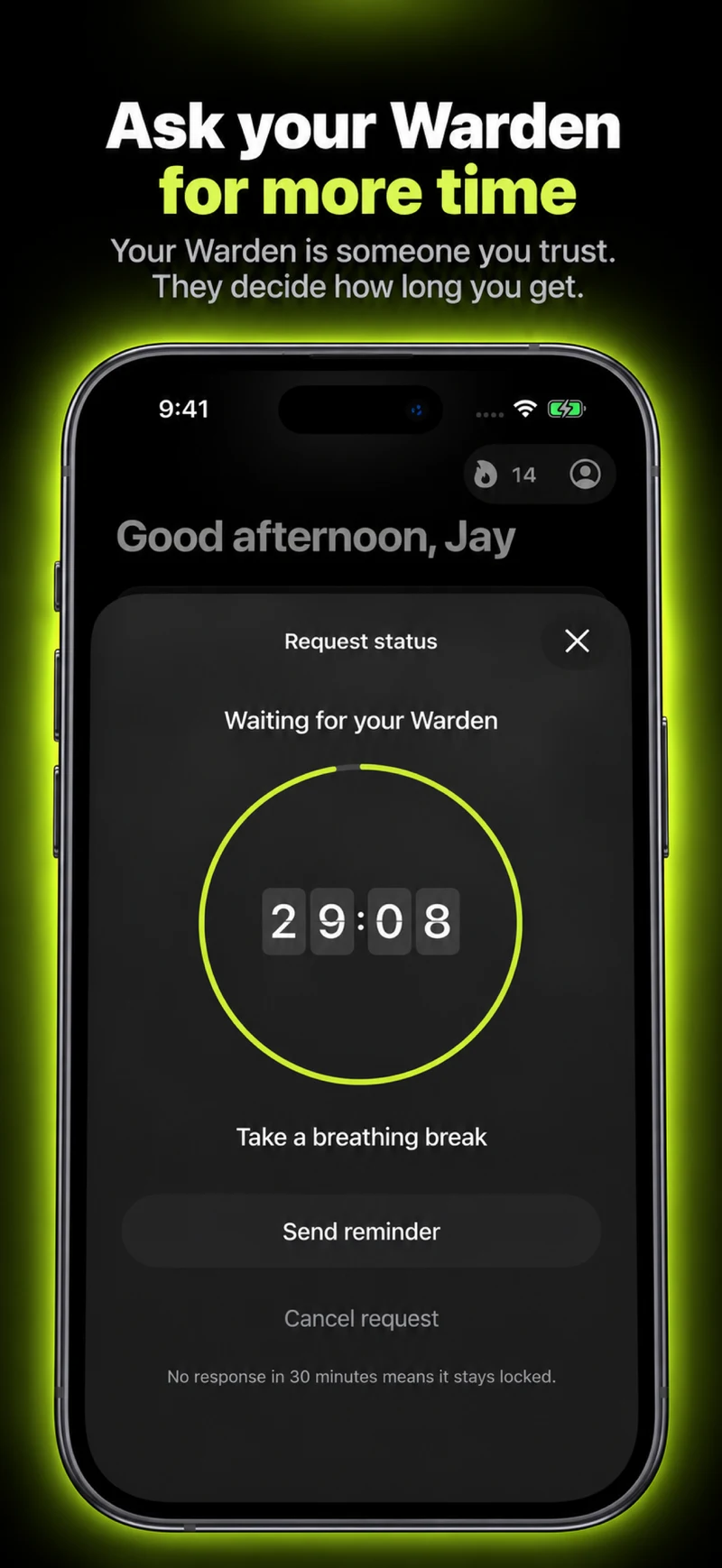
How Warden approval works

Choose how many minutes you need, add a note and hold to send. If nobody answers within 30 minutes, the request expires and the app stays locked.

An approval applies to the scope and time shown in the app. A declined or unanswered request does not lift the block. Emergency access remains a separate option on your device.

Common questions

What is the best free app blocker for iPhone?
Start with Apple Screen Time, which is free and already installed. ScreenZen describes itself as free with optional donations, and Warden has a free plan. The best one is the one whose rule you still follow after a week.
Can a free app blocker be hard to bypass?
Some free options describe stricter modes, such as ScreenZen's lock mode. Read the current documentation and test what happens when you try to end a block early.