 Warden
Warden for iPhone
App blocking that fits your day.
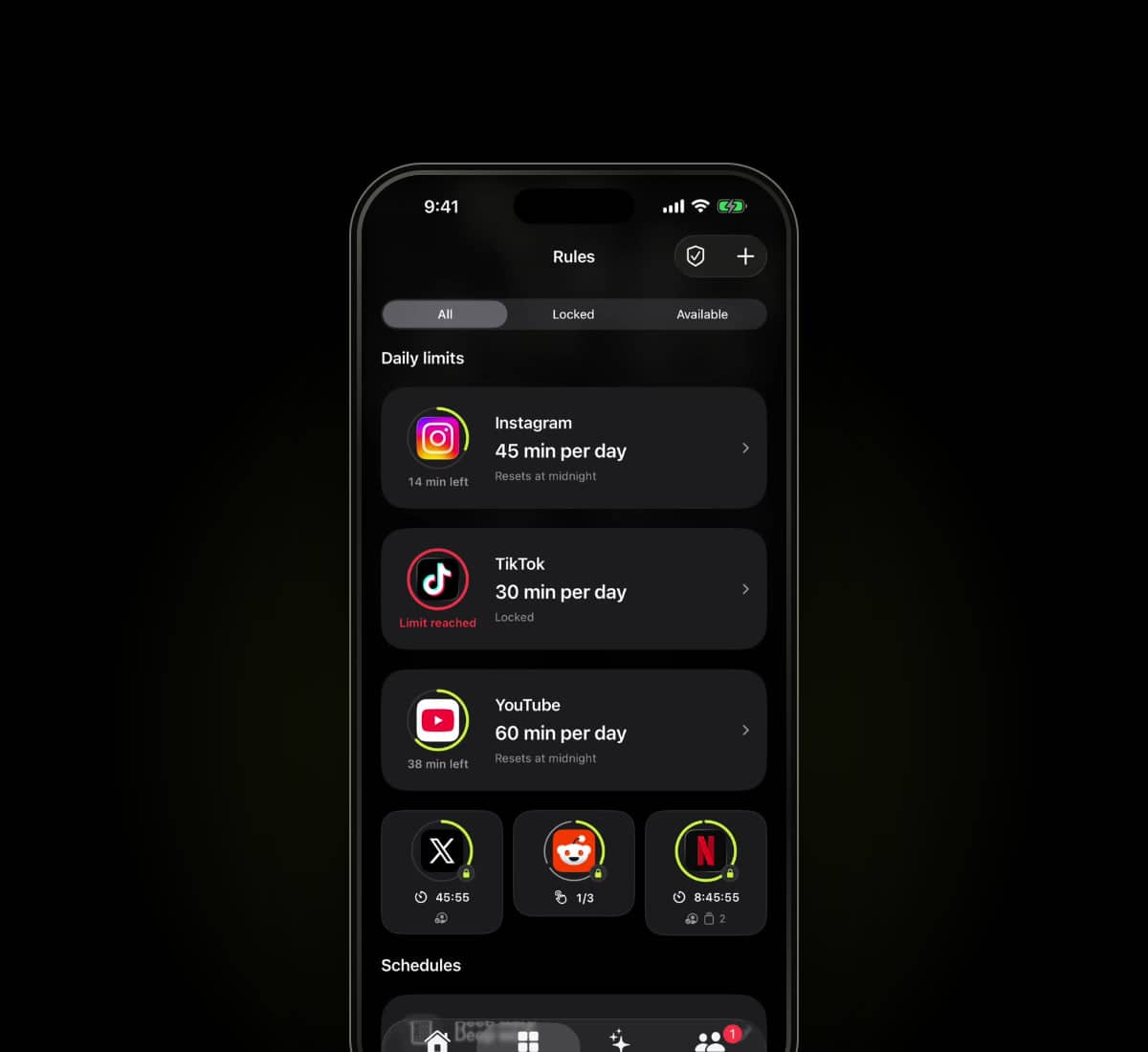
Usage intelligence helps you choose what to block. System-level Lockdown helps you keep the commitment. Add daily limits, schedules and a trusted person when you want support.
Usage intelligence
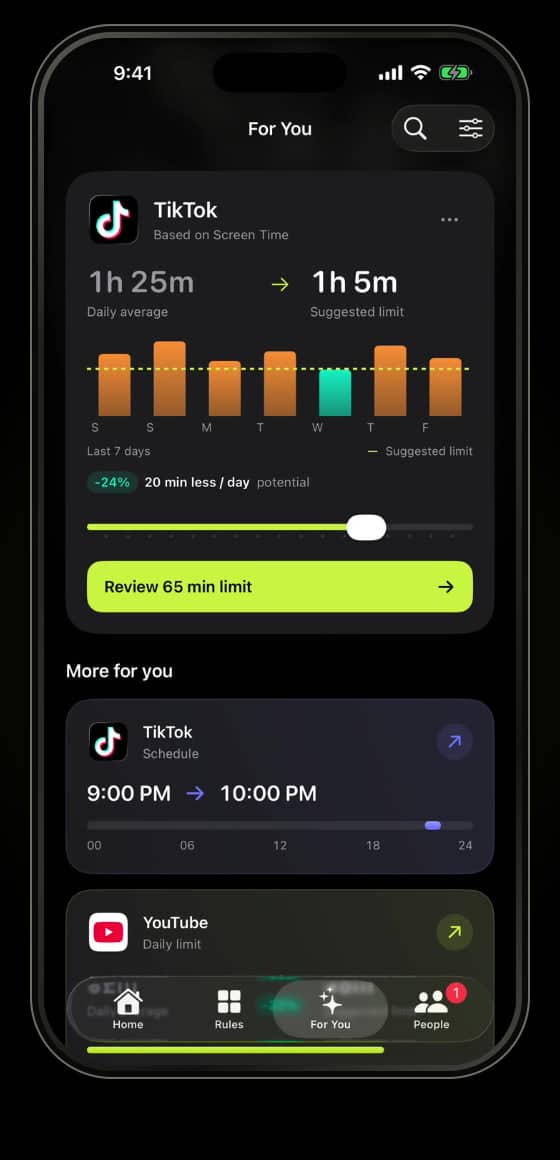
Warden uses your goals and available Screen Time patterns to recommend which apps to limit, a daily allowance, recurring block times and a suitable protection mode. Each suggestion explains its reasoning. You review and approve every rule.
Usage-based recommendations need iOS 26.4 or later, supported Screen Time data access and enough history. Without that access, you can still use goal-based suggestions and create manual rules.
See the setup processSystem-level Lockdown
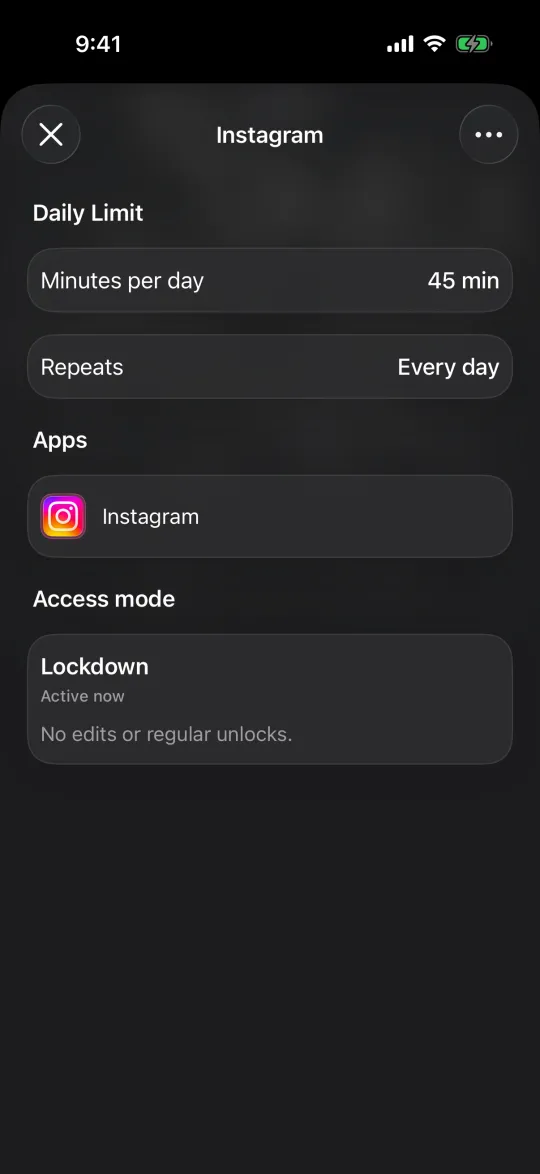
Warden uses Apple's Screen Time system to block selected apps. Lockdown prevents ordinary early unlocks and edits to active rules until the block ends or the daily limit resets. No accountability partner is needed.
Emergency access remains available. Lockdown makes an active rule harder to bypass in Warden; it does not prevent you changing iOS permissions.
What Lockdown locks, step by stepChoose early access.
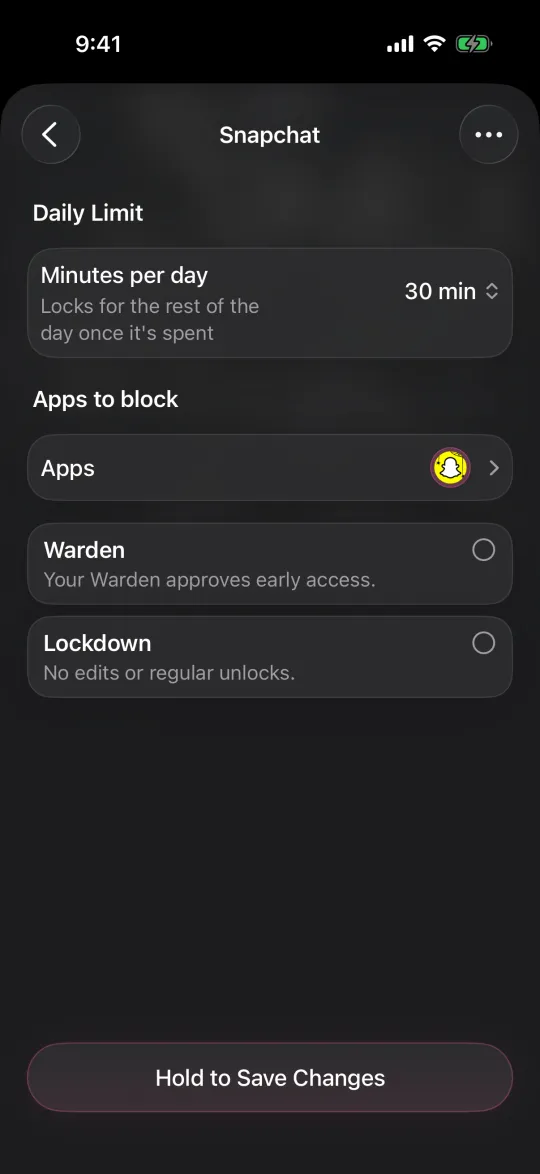
Choose Standard when you want to manage the limit yourself. Choose Warden when a person you trust should review early-access requests. Choose Lockdown to keep ordinary early unlocks off until the block ends.
You choose the mode for the rule. Emergency access stays available separately in every mode, so a firmer limit does not depend on someone being available for an urgent situation.
How trusted-person support worksBlock by time or by usage.
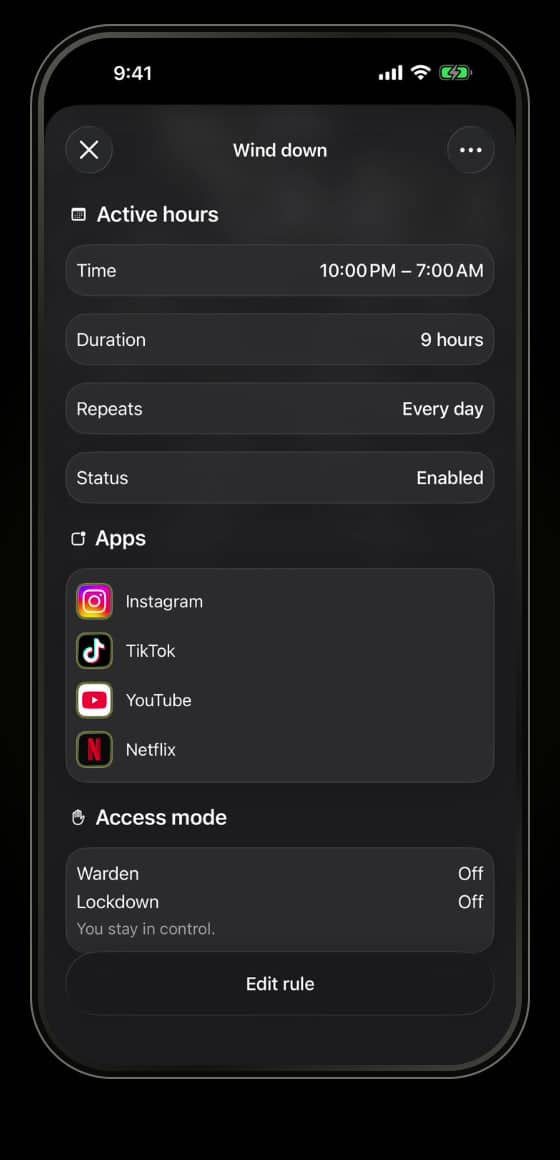
A daily limit controls how much time selected apps get. A schedule blocks them during chosen hours and days. A focus session is a one-off timer for something you want to finish.
For example, use a daily allowance for social apps and a recurring overnight block for bedtime. Leave essential tools and communication outside the selection.
- Daily limit
- An allowance for the selected app or scope.
- Routine
- A recurring set of days and clock hours.
- Focus session
- A timer for the task in front of you.
Review your day.
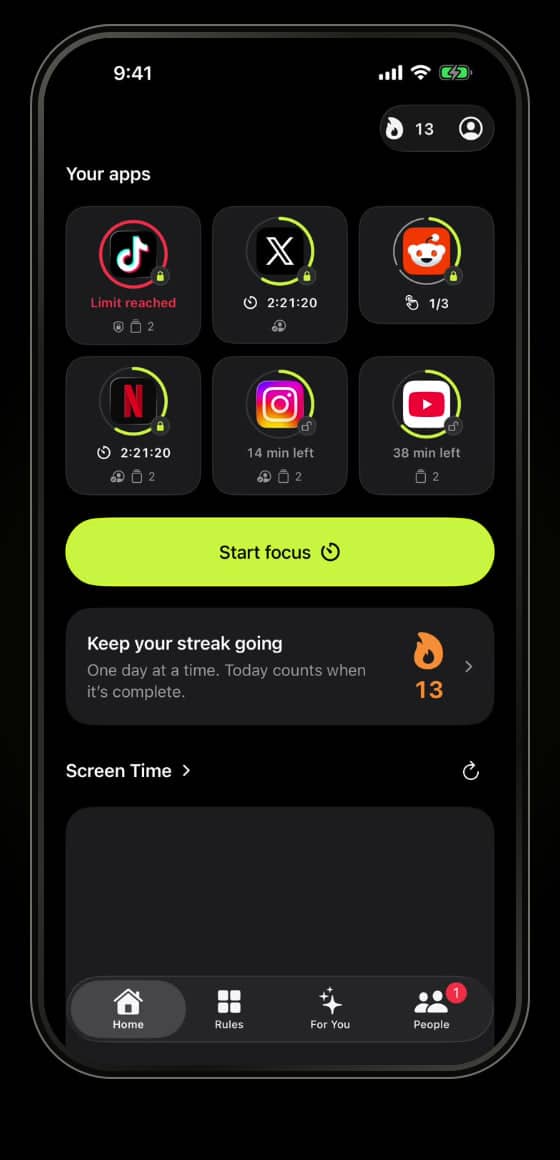
Review recorded protection and the app-use comparisons available through Screen Time. Connect your focus target to something you chose, such as reading, studying or a project.
An active block is not proof that you stayed off your phone or completed the activity. Warden keeps recorded protection separate from measured app use and changes compared with your history.
Understand the numbers on Home