Skip to content

App limits

Dumbphone or app blocker: which do you need?

A dumbphone solves phone overuse by taking the apps away: calls and texts, and little else to scroll. An app blocker keeps the smartphone and closes the apps you choose, at the times you choose. Which one fits depends on how much of your life runs through apps you cannot give up.

In this guide

What a dumbphone gives you

A basic phone has no feed to open, so there is nothing to negotiate with. For some people that clean break is the whole point, especially for evenings, weekends or a set period away from social media.

What you give up

Maps, banking and ticket apps, two-factor codes, group chats and a good camera often live on the smartphone. Check which ones you rely on before switching; some people end up carrying both phones, which brings its own habits.

What an app blocker keeps

An app blocker leaves the useful apps alone and closes the ones you mind: social feeds, video, games or shopping, for set hours or with a daily allowance. Apple Screen Time does this for free; app blockers add stricter modes.

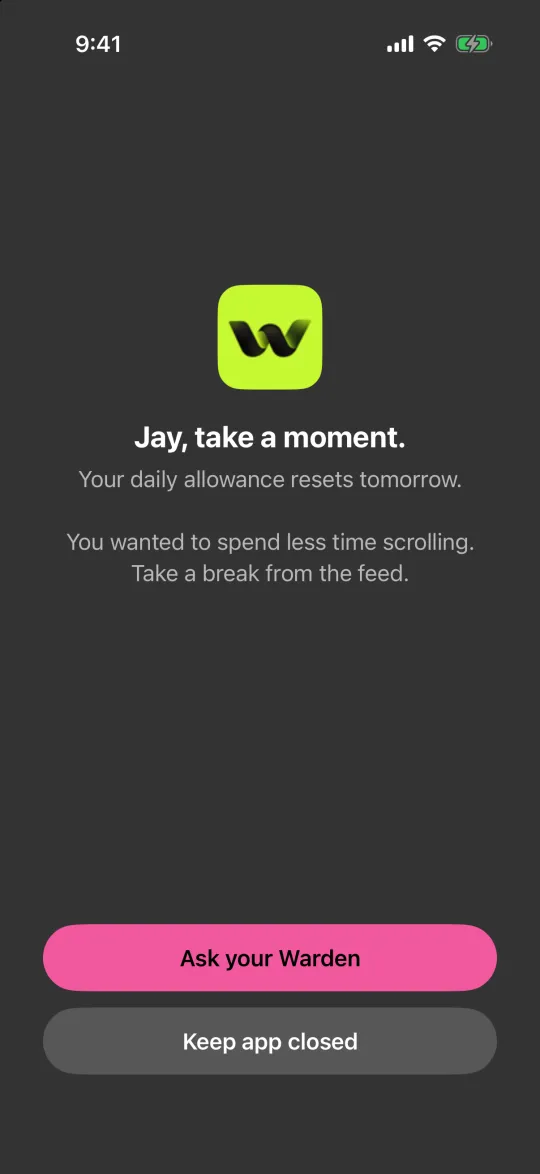
In Warden, Lockdown keeps ordinary early unlocks off until a block ends, and a trusted person can approve early access for the rules you choose.
How Warden unlock approval works

Reference: Apple: Screen Time Schedules and Time Allowances

The block screen with Ask your Warden and Keep app closed buttons

A middle route: make the smartphone more basic

  • Block feeds and video for most of the day, and leave calls, messages, maps and banking open.
  • Turn on grayscale so the screen is less inviting.
  • Move everything except essentials off the Home Screen.

How to make your iPhone boring

Can you leave your phone at home with an Apple Watch?

How to choose

Choose a dumbphone if you want a complete break and can live without the apps you rely on, or can plan around them. Choose an app blocker if the problem is a handful of apps at certain times and the rest of the phone is useful. Try the blocker version first if you are unsure; it costs nothing to undo.

Example: a basic phone for the weekend

Weekdays need the smartphone for work and travel, but weekends disappear into feeds. Instead of buying a second phone, block social and video apps from Friday 7 PM to Monday 7 AM in Lockdown, leaving calls, messages, maps and the camera. After a month, decide whether the weekends feel different enough, or whether a real basic phone is the next step.
Set it up without adding unnecessary rules

Daily limits, schedules and focus sessions

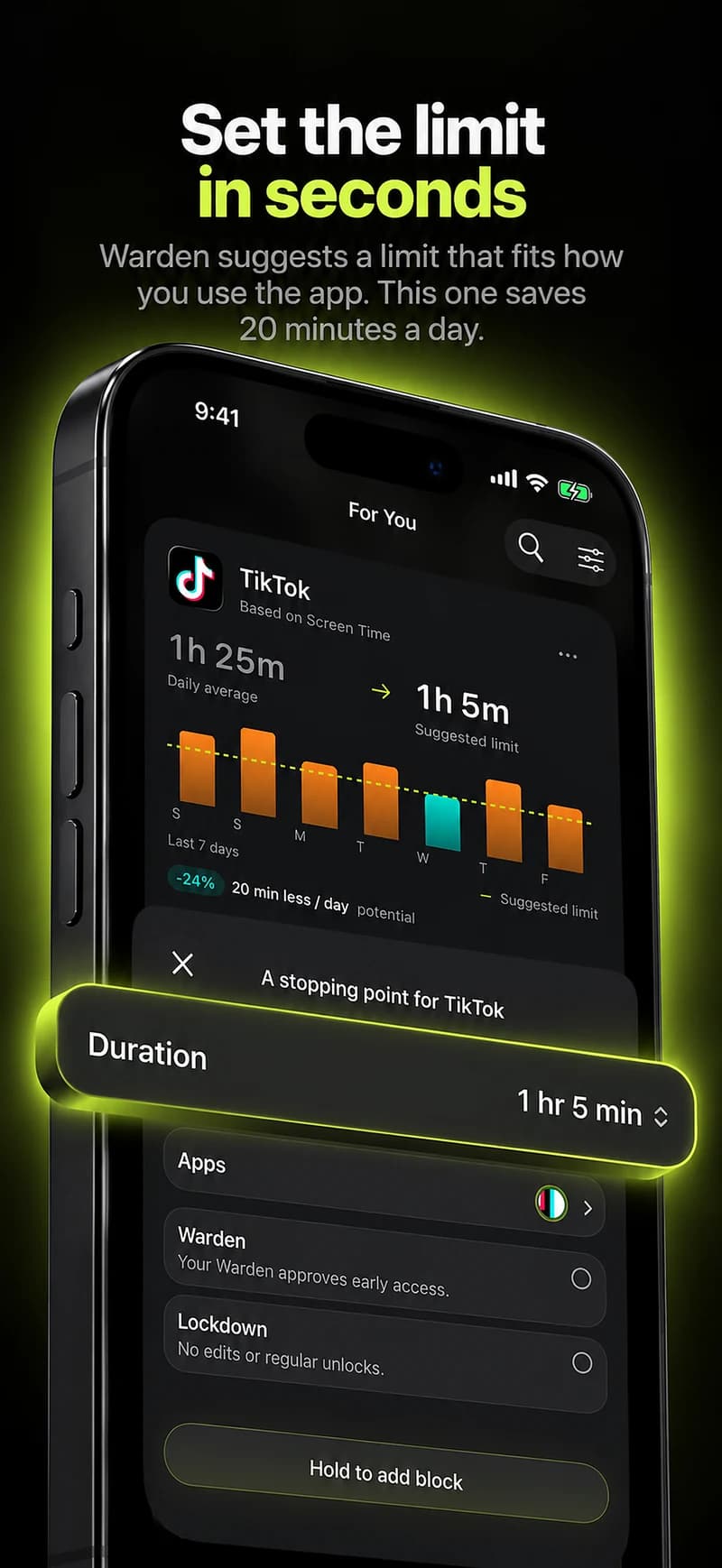
Install Warden and connect Screen Time when iOS asks. Then open Rules and tap the plus button.

Choose the apps or scope involved in this particular interruption. Use an allowance for total use, a schedule for recurring hours, or a session for a one-off task.

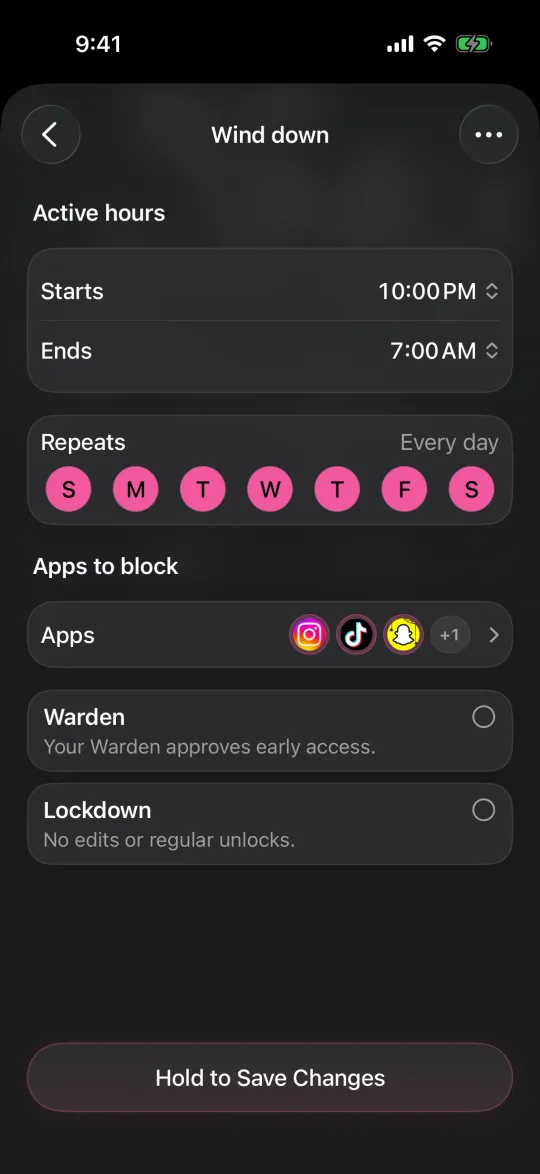
Editing a schedule that blocks apps from 10:00 PM to 7:00 AM every day

What Standard, Warden and Lockdown do

Choose Standard when you want to manage the limit yourself. Choose Warden when a person you trust should review early-access requests. Choose Lockdown to keep ordinary early unlocks off until the block ends.

Choose the access mode, then hold the save button to set the rule. Try a short block before using a long one. Emergency access remains separate from ordinary unlock requests.

The block screen with Ask your Warden and Keep app closed buttons

How Warden approval works

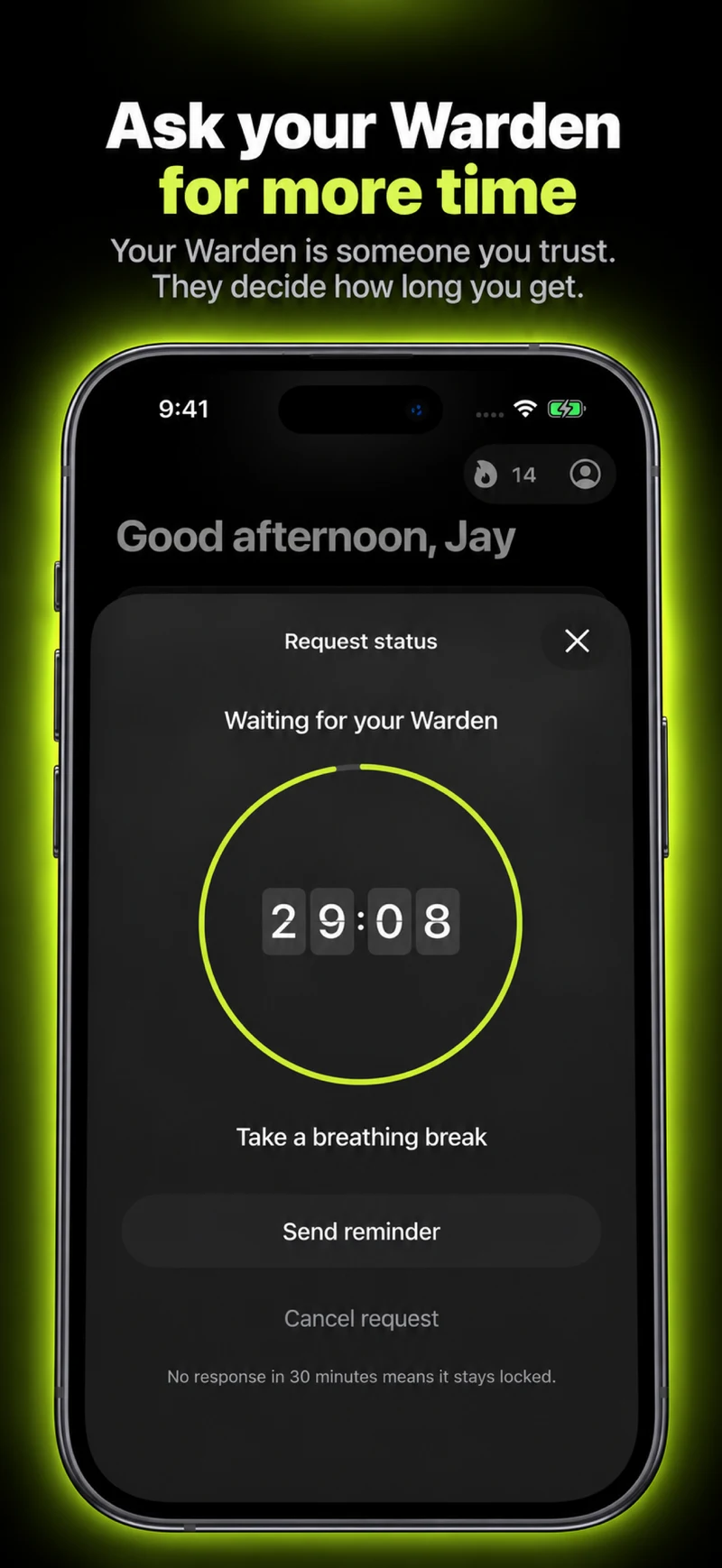
Choose how many minutes you need, add a note and hold to send. If nobody answers within 30 minutes, the request expires and the app stays locked.

An approval applies to the scope and time shown in the app. A declined or unanswered request does not lift the block. Emergency access remains a separate option on your device.

Common questions

Is a dumbphone better than an app blocker?
It depends on what you need from your phone. A dumbphone removes the apps entirely; an app blocker keeps the useful apps and closes the rest at chosen times.
Can I turn my iPhone into a dumbphone?
Close to it. A schedule or app blocker can make feeds, video and games unavailable while calls, messages and maps stay open, and grayscale makes the rest less inviting.
