Skip to content

Accountability

When your Screen Time accountability partner is unavailable

A voluntary accountability partner can be working, asleep or away from their phone. A delayed reply should be expected in the agreement, not discovered when you urgently need an app. Start by separating a necessary task from an ordinary early exception.

In this guide

Agree on availability before the first block

Name the hours you are asking someone to help with and ask when they can realistically respond. An invitation does not create an on-call obligation. If your study hour is during their commute, choose another arrangement for that hour. A self-managed rule can be a better starting point than repeated calls asking somebody to check an approval screen.

Keep predictable needs out of the request queue

List the tasks that will certainly happen: a work login, a pickup message or a travel ticket. Leave the required app available where practical, or move the block around the known task. If a social app is also your only essential message channel, agree on another contact route or a narrower access window. Warden cannot preserve only Instagram messages while blocking its feed.

Check the request state, without treating silence as consent

Warden distinguishes an unanswered request from approval. Check the request and connection state before submitting duplicates. A connection problem and a person choosing not to answer require different responses. Emergency access remains a separate path on the owner’s device. Learn it beforehand rather than making a friend’s response time the safety plan.
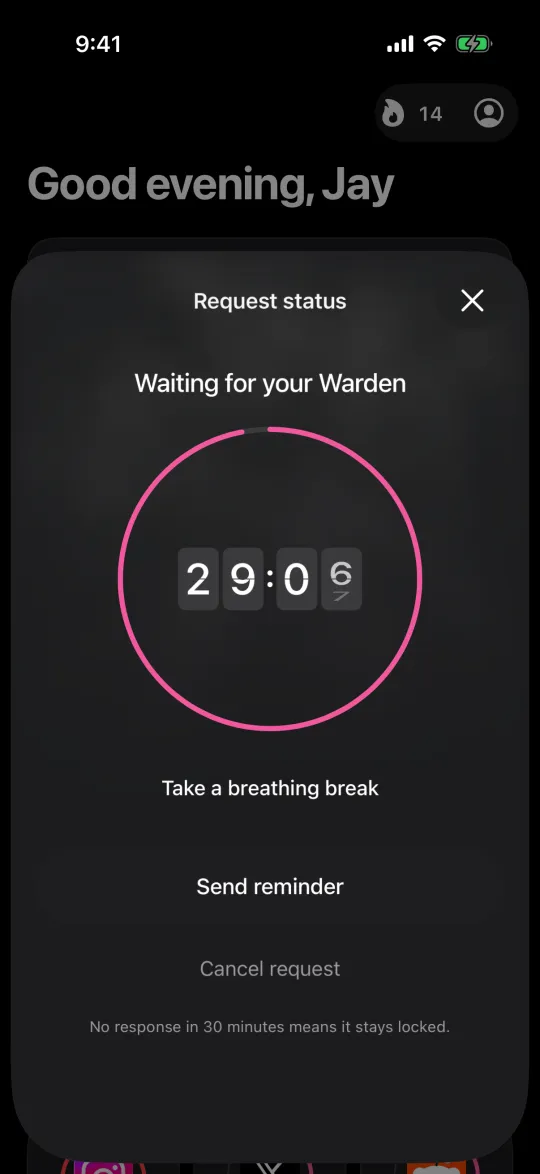
A request waiting for your Warden, with a 30-minute countdown

Example: your friend starts a night shift

You normally ask a friend about evening exceptions, but their new shift starts at 7 PM. Before the next study session, agree that they will not monitor requests during work. Keep your transport messages accessible and use a short Standard rule for that session if it suits your plan. Review the arrangement on the weekend instead of trying to negotiate while they are working.

Review the workload after a few ordinary sessions

Ask whether requests arrived at useful times and whether repeated necessary tasks point to an overly broad rule. Reduce the burden by fixing the selection or schedule first. If neither person wants to continue, discuss ending or replacing the connection outside an active request. A helpful agreement lets both people say no and preserves privacy without demands for screenshots of private conversations.
Who should hold your key

How to end a Screen Time accountability agreement

Set it up without adding unnecessary rules

Daily limits, schedules and focus sessions

Install Warden and connect Screen Time when iOS asks. Then open Rules and tap the plus button.

Choose the apps or scope involved in this particular interruption. Use an allowance for total use, a schedule for recurring hours, or a session for a one-off task.

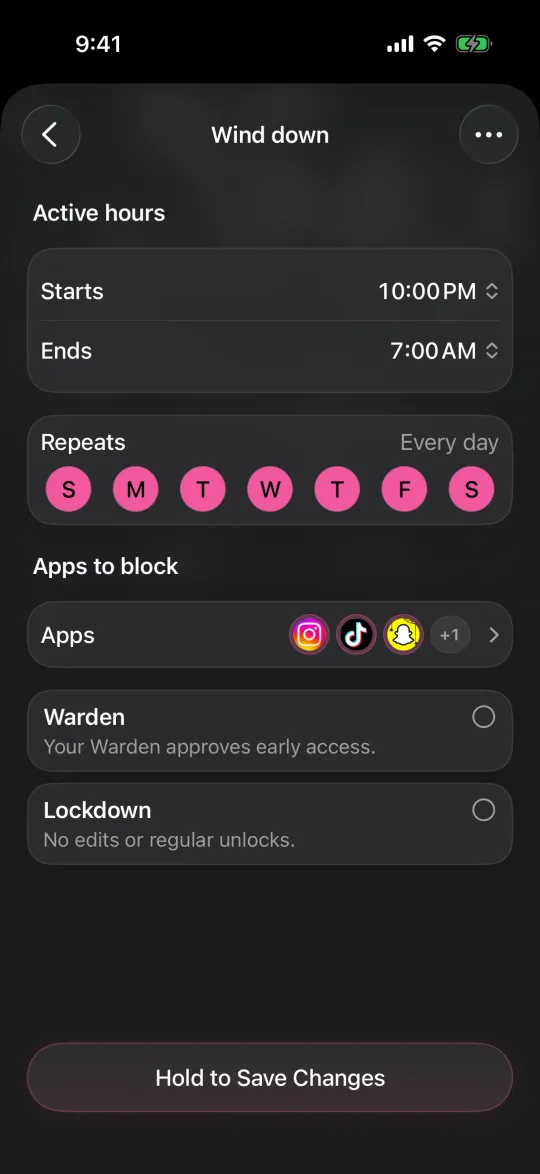
Editing a schedule that blocks apps from 10:00 PM to 7:00 AM every day

What Standard, Warden and Lockdown do

Choose Standard when you want to manage the limit yourself. Choose Warden when a person you trust should review early-access requests. Choose Lockdown to keep ordinary early unlocks off until the block ends.

Choose the access mode, then hold the save button to set the rule. Try a short block before using a long one. Emergency access remains separate from ordinary unlock requests.

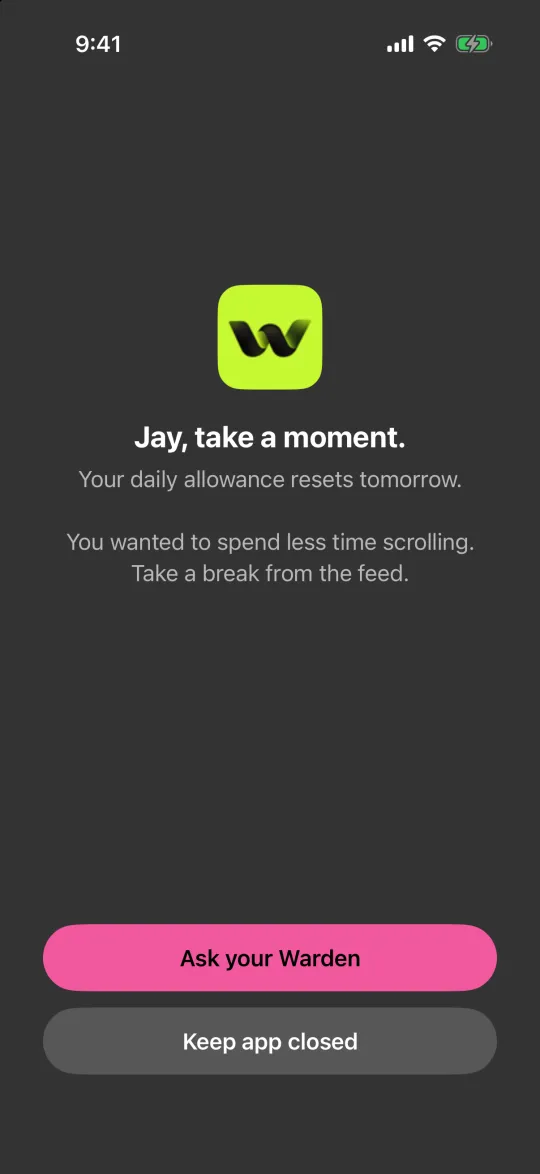
The block screen with Ask your Warden and Keep app closed buttons

How Warden approval works

Choose how many minutes you need, add a note and hold to send. If nobody answers within 30 minutes, the request expires and the app stays locked.

An approval applies to the scope and time shown in the app. A declined or unanswered request does not lift the block. Emergency access remains a separate option on your device.

Common questions

Does no reply mean I can treat a request as approved?
No. An unanswered Warden request is not approval. Use the displayed state, and keep urgent access separate from ordinary exception requests.
Should my partner agree to answer every time?
No. Agree on realistic availability and a review point. If your plan needs constant replies, reconsider its scope or whether that arrangement fits both people.
