Skip to content

Screen Time

How to take study breaks without scrolling

If a five-minute break regularly becomes a long visit to a feed, plan the break before you start studying. Choose what you will do and what tells you to return. You do not need to fill every break with another task or treat a pause as a failure.

In this guide

Name a break activity that ends

Get water, make a snack or look away from the screen for a while. Pick something that does not require the distracting app to get started. If you want to message someone, decide the specific message and the time you expect it to need. A feed with no natural finish point needs a different return cue from a single reply.

Keep the lesson separate from the feed

If the lesson is on YouTube or a class group uses Instagram, an app-level block also affects those useful functions. Schedule the block after the lesson or use another device that remains available. Opening a lesson before a whole-app block does not exempt it from that block. Warden cannot identify only educational videos or keep Instagram messages available while selectively hiding Reels.

Decide whether the break changes your access rule

A one-off Warden focus session can cover a chosen task window, while a recurring schedule is useful for repeated hours. The Digital Detox option shown here blocks all apps except Warden’s own Always Allowed list. Review and save those exceptions before starting; you cannot add new ones during an active Digital Detox. For a narrower boundary, use a rule that selects only the distracting apps. Check the access mode too: pausing your work does not automatically pause the rule.
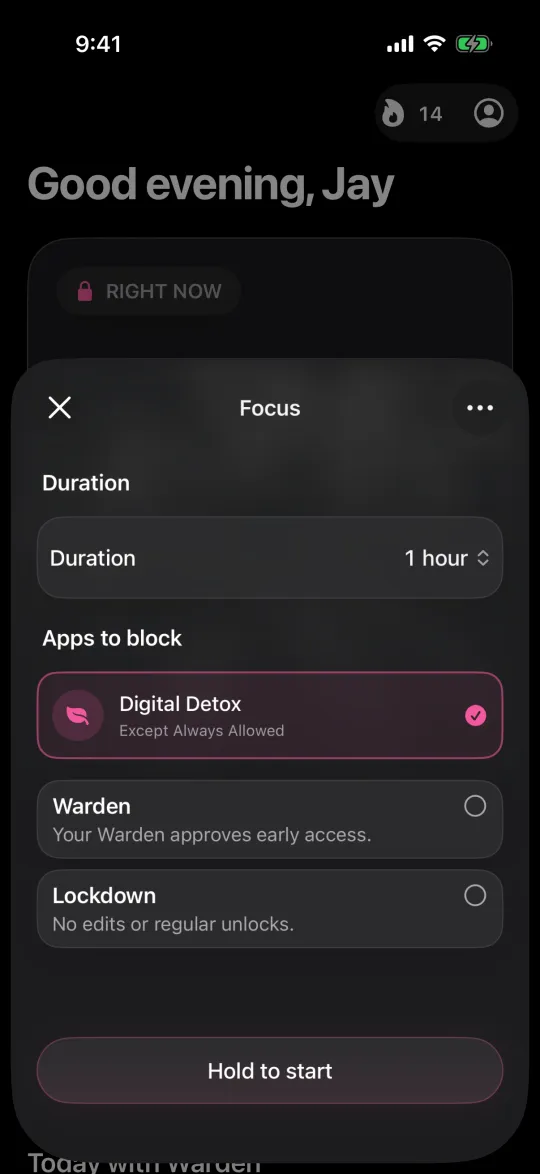
Starting a digital detox on iPhone that blocks every app except Always Allowed

Example: between two practice-paper sections

You finish the first section of a practice paper and set a separate return timer before leaving the desk. The break is water and a snack; the video feed stays within the existing block. If you need to answer a pickup message, finish that exchange through an available channel, then return to the next named section. Afterward, note whether the break overran and what actually delayed the return.

Use an overrun to revise the next break

If the same app repeatedly absorbs the whole break, change that part of the plan rather than extending the study block as punishment. Put the phone farther away, choose another break activity or adjust the message window. Judge the next session by whether the planned work and necessary contact were possible, not by treating recorded protection as proof that you studied.
Studying without your phone in the room

How to block YouTube Shorts on iPhone

Set it up without adding unnecessary rules

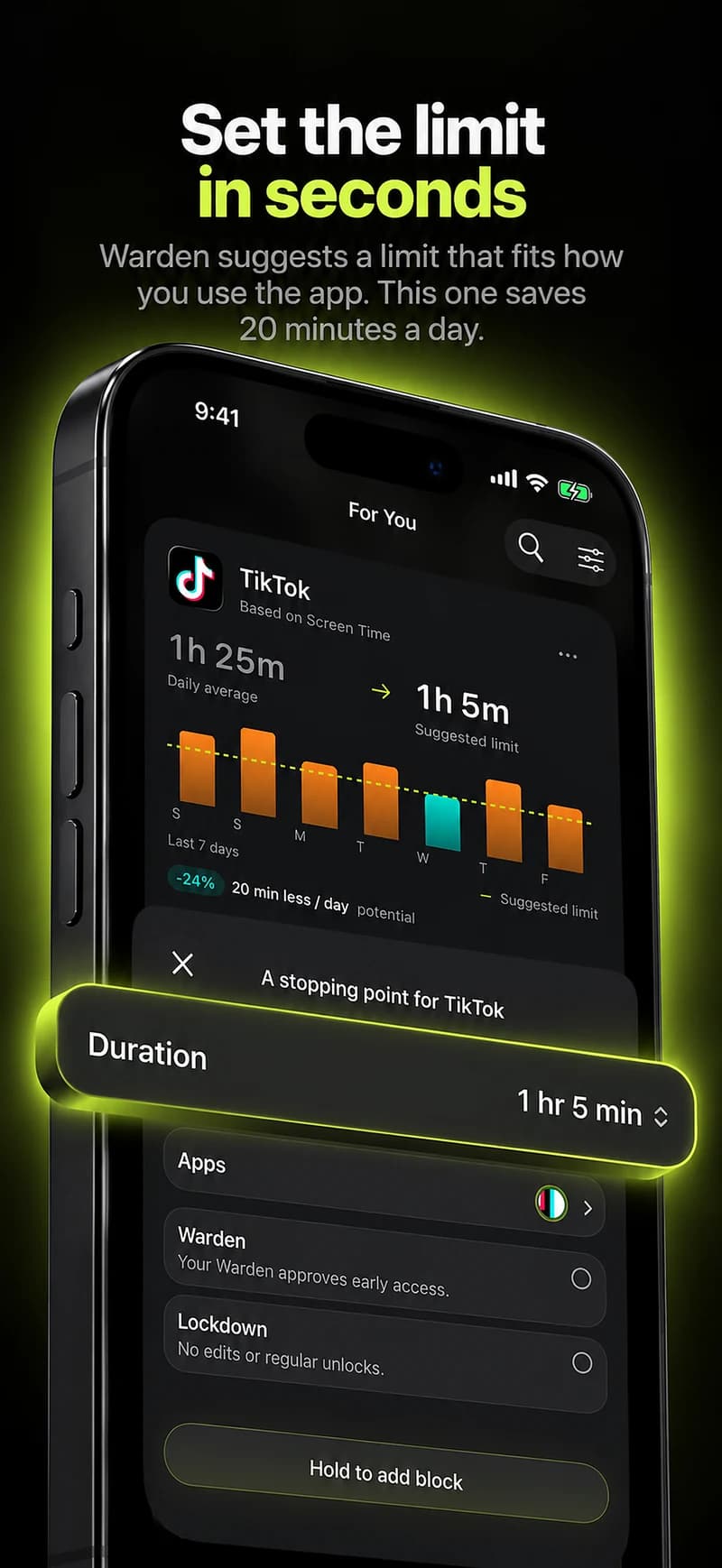
Daily limits, schedules and focus sessions

Install Warden and connect Screen Time when iOS asks. Then open Rules and tap the plus button.

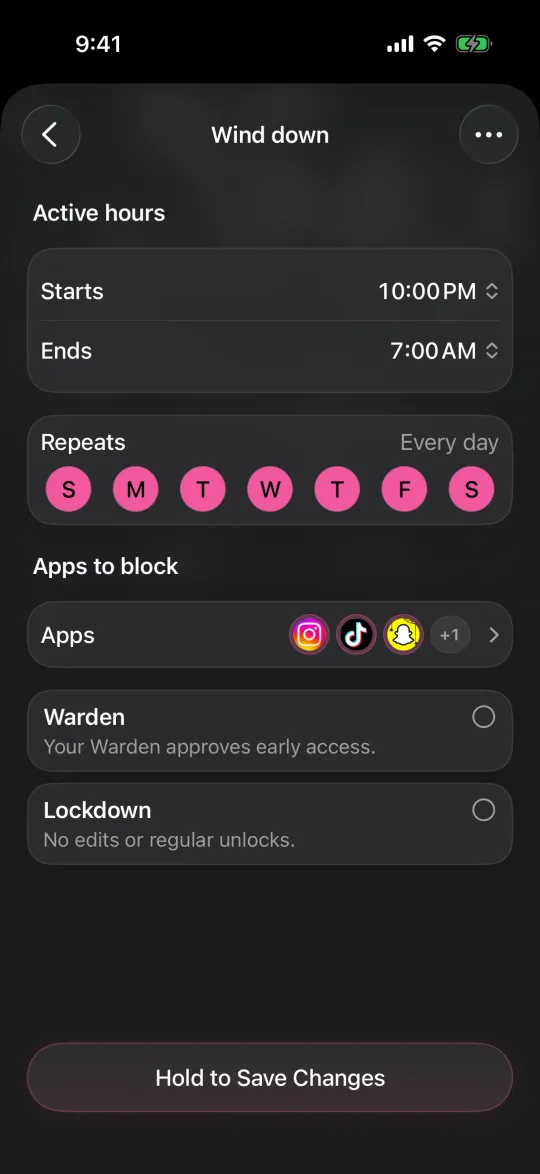
Choose the apps or scope involved in this particular interruption. Use an allowance for total use, a schedule for recurring hours, or a session for a one-off task.

Editing a schedule that blocks apps from 10:00 PM to 7:00 AM every day

What Standard, Warden and Lockdown do

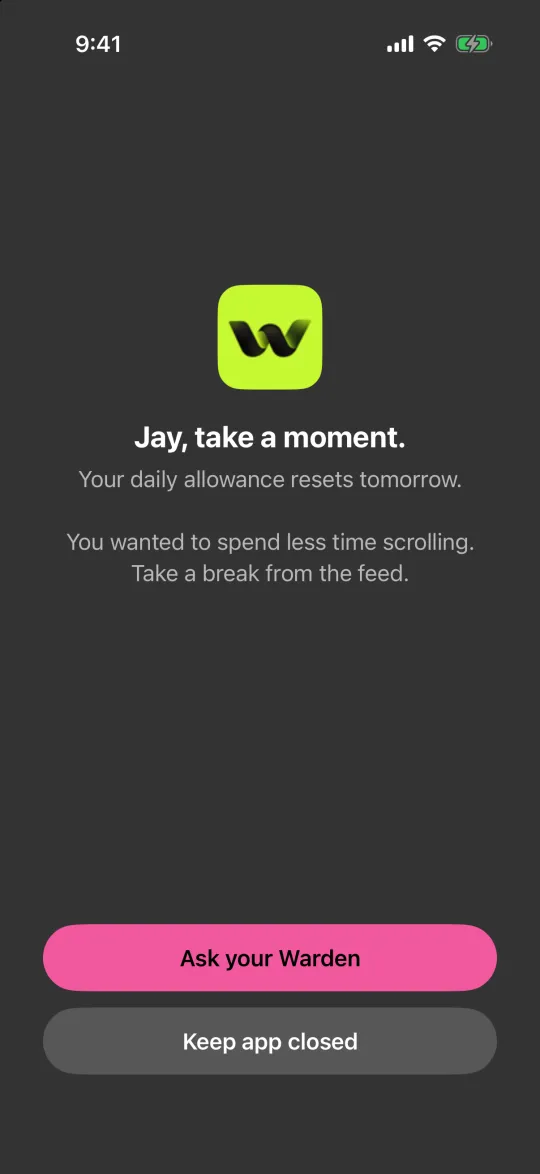
Choose Standard when you want to manage the limit yourself. Choose Warden when a person you trust should review early-access requests. Choose Lockdown to keep ordinary early unlocks off until the block ends.

Choose the access mode, then hold the save button to set the rule. Try a short block before using a long one. Emergency access remains separate from ordinary unlock requests.

The block screen with Ask your Warden and Keep app closed buttons

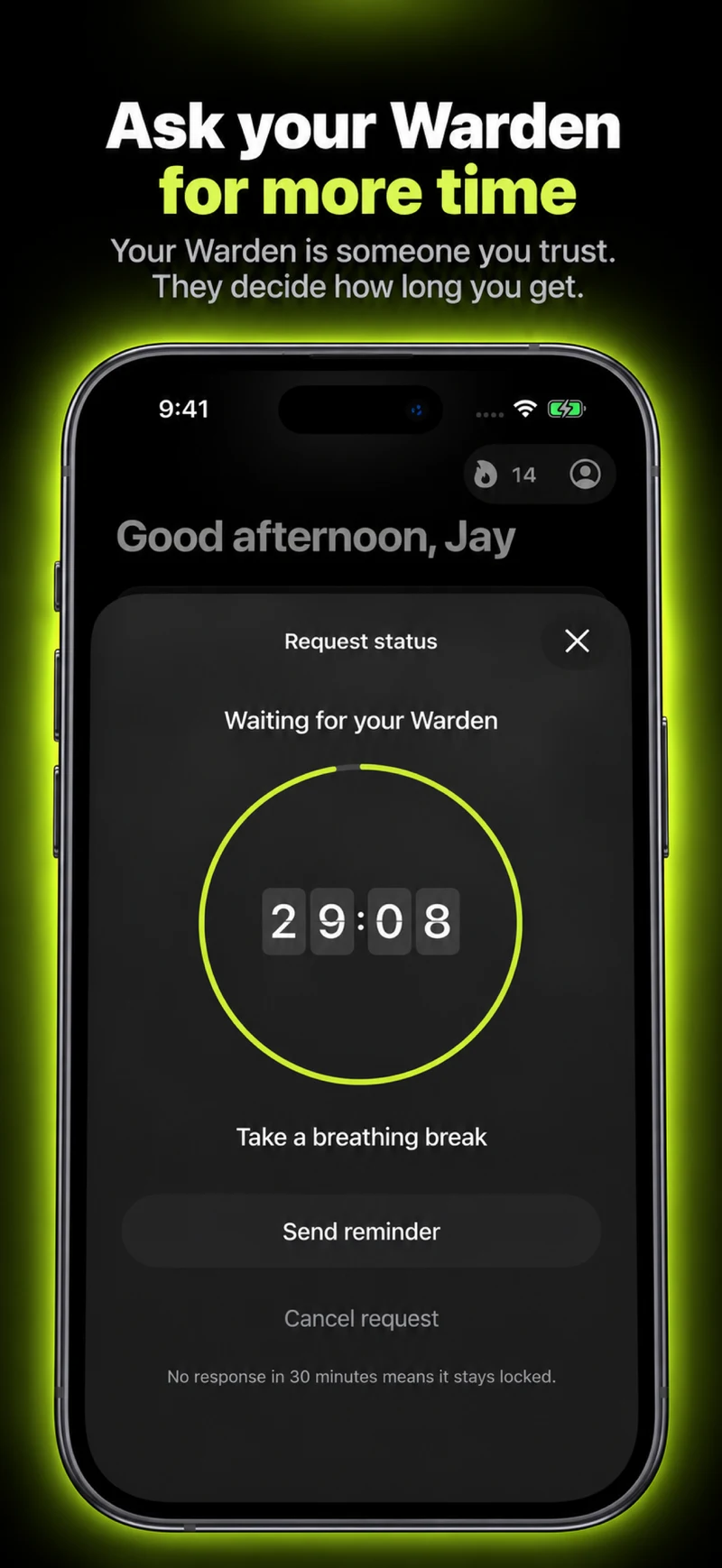
How Warden approval works

Choose how many minutes you need, add a note and hold to send. If nobody answers within 30 minutes, the request expires and the app stays locked.

An approval applies to the scope and time shown in the app. A declined or unanswered request does not lift the block. Emergency access remains a separate option on your device.

Common questions

Should every study break be exactly five minutes?
No fixed length fits every task or responsibility. Choose a realistic return point and adjust from what happens in your own sessions.
Can Warden block Shorts but leave a YouTube lesson open?
Warden’s app selection does not distinguish videos inside YouTube. Review YouTube’s own Shorts controls separately or arrange lesson access before a whole-app block.