Skip to content

Screen Time

How to limit app openings on iPhone

If ten brief checks interrupt your work more than one long visit, a minutes-per-day allowance may miss the problem. A counted access budget gives you a set number of chances to open an app. It is worth understanding what spends one chance before choosing a number.

In this guide

Count deliberate access, not every launch

In Warden’s Openings rule, an opening is spent through the block screen’s access button and starts a short elapsed-time window. It is not a passive record of every app launch. Returning to the app during the same active window is different from starting another grant. Use the counter as a rule allowance, not as a complete report of your behavior.

Choose the app, count, duration and days

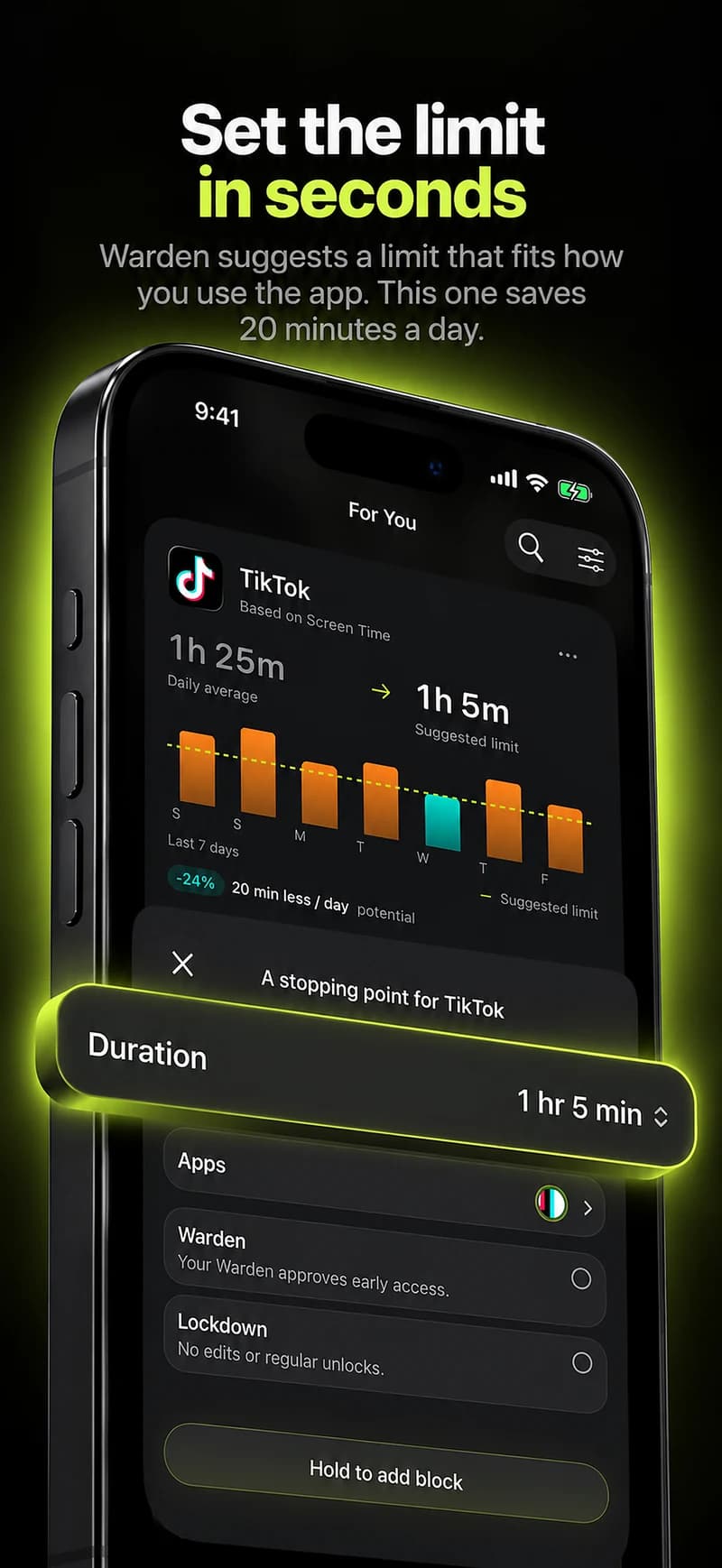
If your installed version offers Openings, open its rule editor and choose the actual app, openings per day, minutes per opening and active days. Review the saved card before relying on it. Multiple selected apps receive their own opening rules rather than one shared pool. If the option is absent, use an available daily limit or schedule instead of looking for an equivalent launch counter in Apple Screen Time.

Test one opening before choosing strictness

Start with Standard and a nonessential app. Note the remaining count, start one opening and check the displayed expiry. An elapsed-time grant continues while you are elsewhere on the phone; it does not pause every time you leave the app. Let it expire and inspect the next block screen. Overlapping rules can still restrict access, so test one rule at a time.
Example: three planned checks of a group chat

Suppose a club chat pulls you away from writing. Try three access windows for that chat on writing days, with enough minutes to read and answer a specific question. Keep a separate urgent contact route. At the end, note whether you used those windows for the club task or spent the same period browsing. Adjust the plan from that observation rather than treating an unused opening as a score.

Choose a different boundary when the task needs it

A long call or live coordination may not fit short opening windows. Keep necessary tools available and use a schedule for a period when the app can genuinely wait. Warden and Lockdown access modes change ordinary early-access behavior; they do not turn an opening counter into proof of focus. Check the mode, daily reset and emergency path shown in your app before making the arrangement stricter.
Why do I keep checking my phone? How to stop

Block a category, not a list of apps

Set it up without adding unnecessary rules

Daily limits, schedules and focus sessions

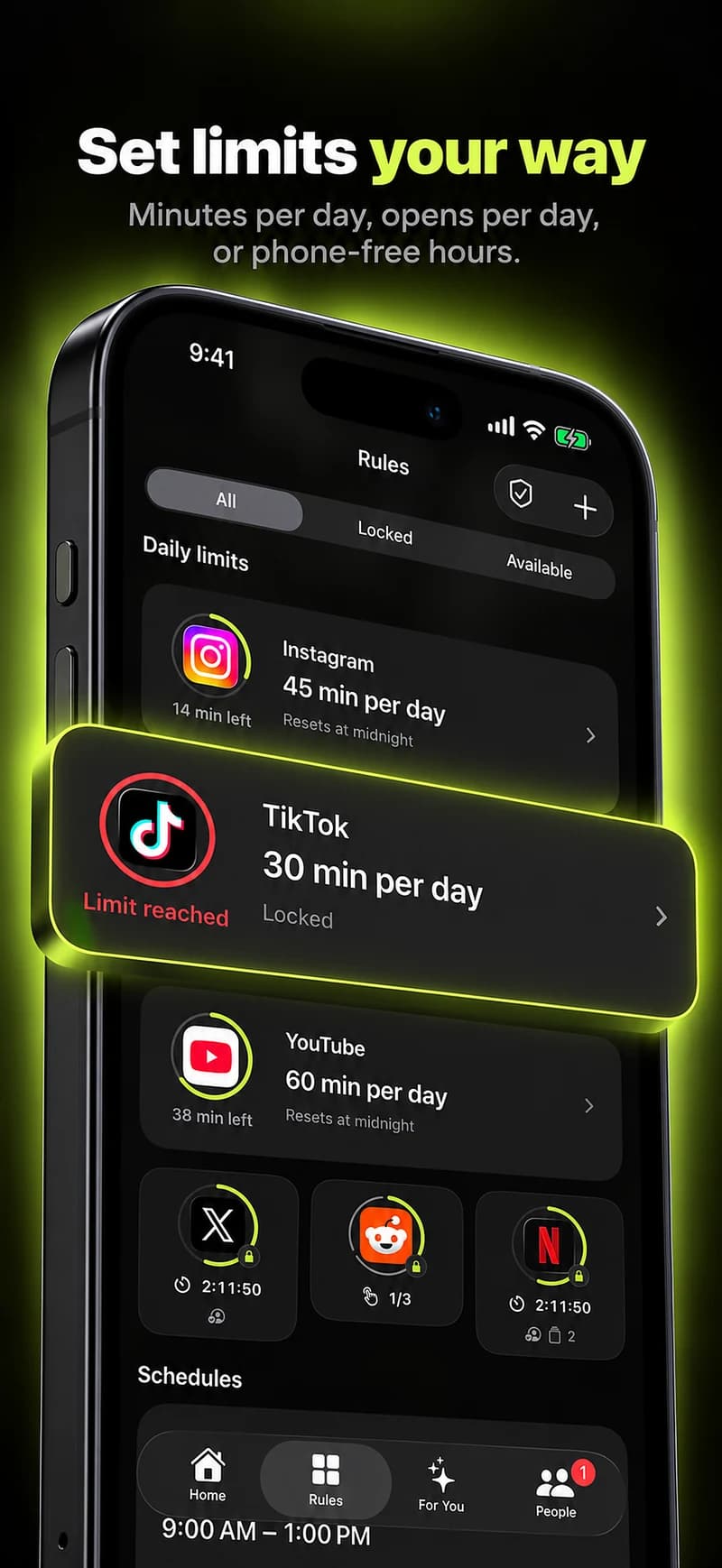
Install Warden and connect Screen Time when iOS asks. Then open Rules and tap the plus button.

Choose the apps or scope involved in this particular interruption. Use an allowance for total use, a schedule for recurring hours, or a session for a one-off task.

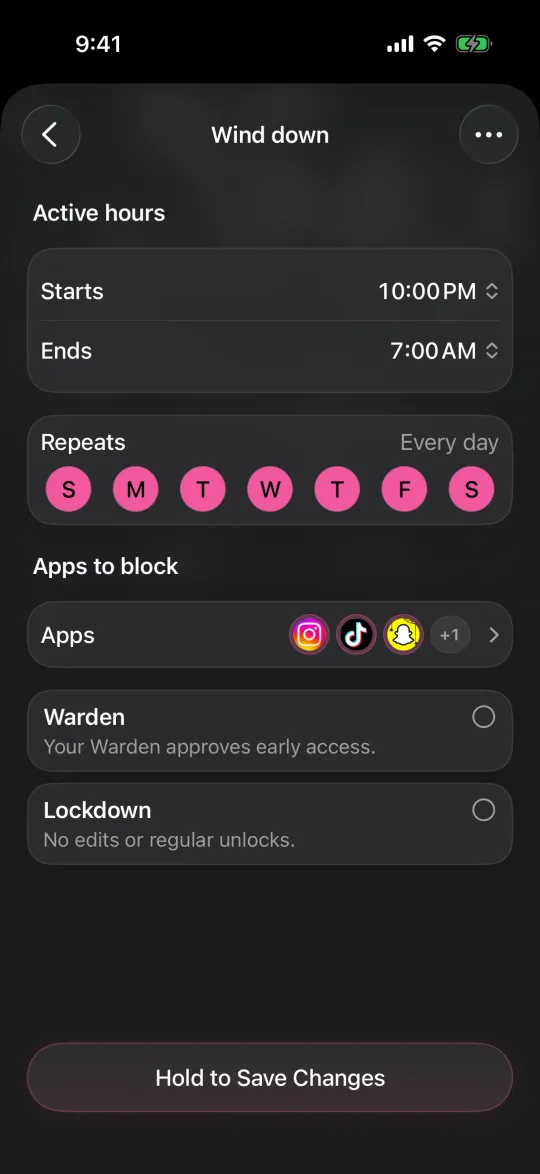
Editing a schedule that blocks apps from 10:00 PM to 7:00 AM every day

What Standard, Warden and Lockdown do

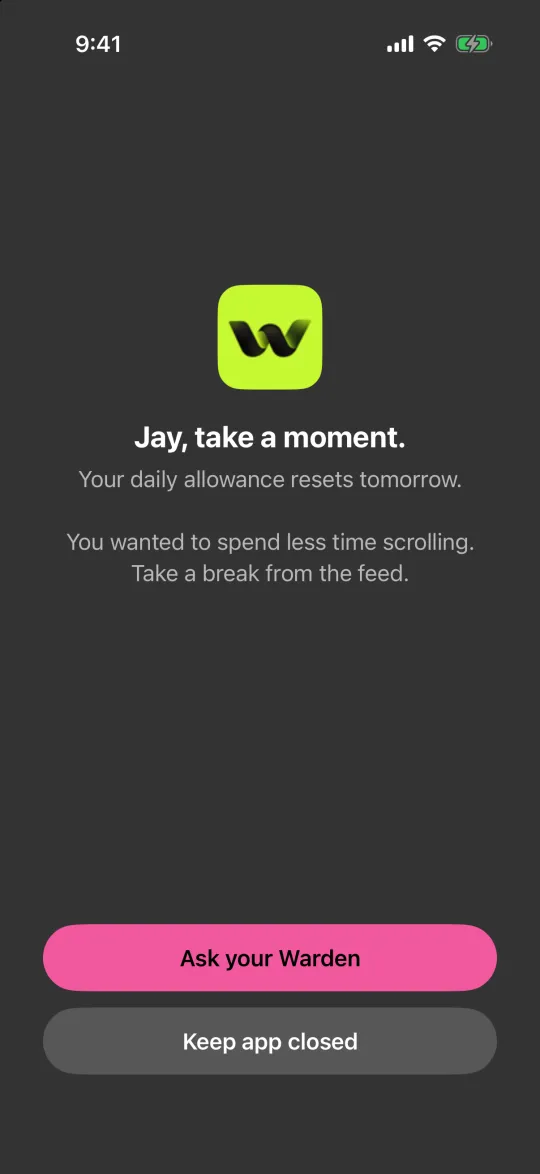
Choose Standard when you want to manage the limit yourself. Choose Warden when a person you trust should review early-access requests. Choose Lockdown to keep ordinary early unlocks off until the block ends.

Choose the access mode, then hold the save button to set the rule. Try a short block before using a long one. Emergency access remains separate from ordinary unlock requests.

The block screen with Ask your Warden and Keep app closed buttons

How Warden approval works

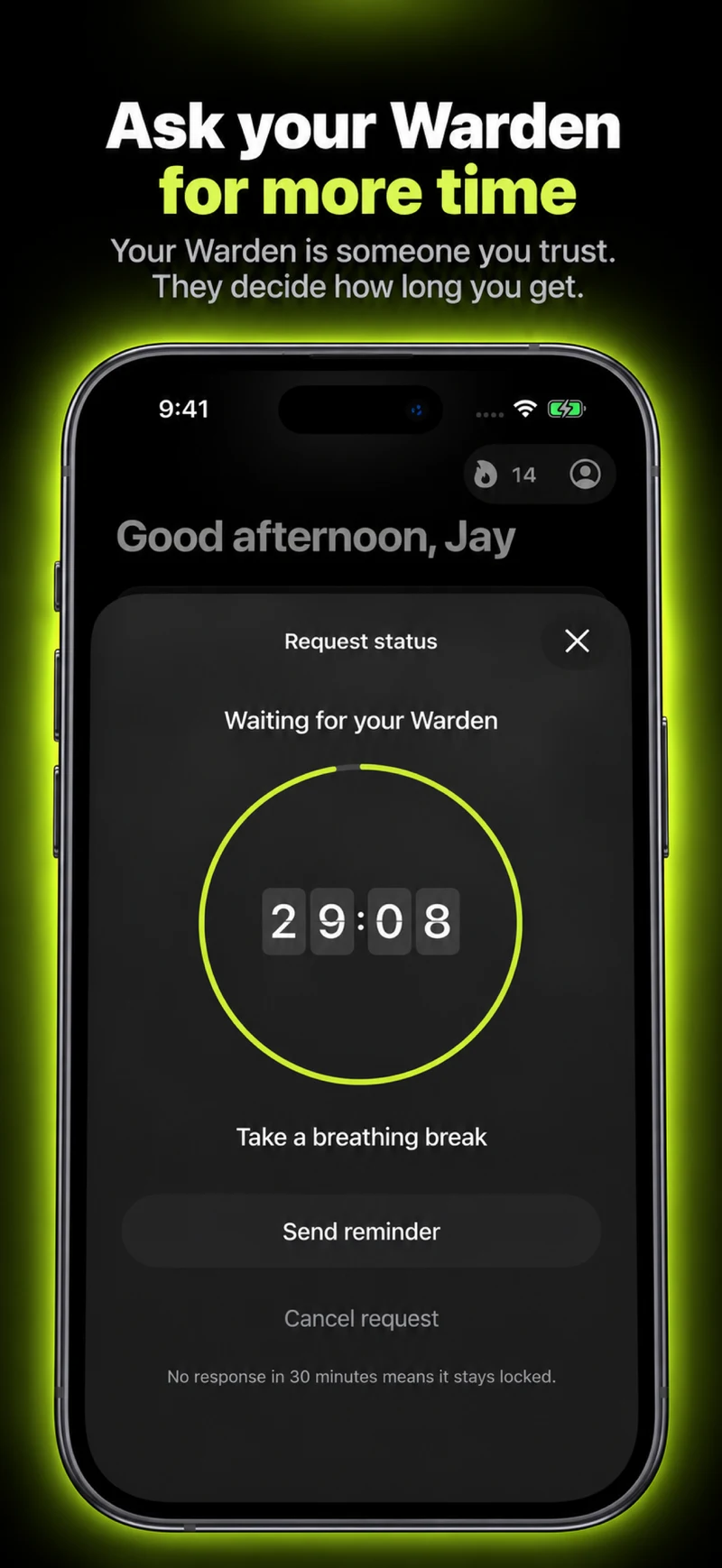
Choose how many minutes you need, add a note and hold to send. If nobody answers within 30 minutes, the request expires and the app stays locked.

An approval applies to the scope and time shown in the app. A declined or unanswered request does not lift the block. Emergency access remains a separate option on your device.

Common questions

Does this count every time I tap the app icon?
No. Warden’s counter tracks counted access grants from its block screen, not every background event or launch. Several visits within one active grant need not mean several openings.
Is an opening allowance the same as minutes per day?
No. A daily usage allowance and a number of elapsed-time access windows are different budgets. Pick the one that matches the interruption you want to change.