Warden
What the watch can block on its own
Apple's watch settings deal with notifications rather than apps. In the Apple Watch app on your iPhone you can turn off an app's notifications on the watch, and on the watch you can swipe left on a notification to mute that app for an hour or for the day.
A watch you set up for a family member is managed from your iPhone with Apple's family controls. None of these settings block the apps on your own iPhone, which is where the scrolling usually happens.
Reference: Apple: Change notification settings on Apple Watch
Reference: Apple: Apple Watch For Your Kids
Start a digital detox from the watch
Warden on your iPhone then blocks every app outside Always Allowed. Warden itself stays open, and so does anything on your Always Allowed list, so add the apps you rely on, such as Phone, Messages or Maps, before you start.
- Open Warden on your Apple Watch. Warden needs to be set up on your iPhone with Screen Time connected.
- Turn the Digital Crown, or tap the minus and plus buttons, to choose the length from 15 minutes to 4 hours. The screen shows the time it will end.
- Leave the mode on Standard, or tap it to choose Warden or Lockdown.
- Tap Start. On a watch that supports double tap, a double tap also starts a Standard detox.
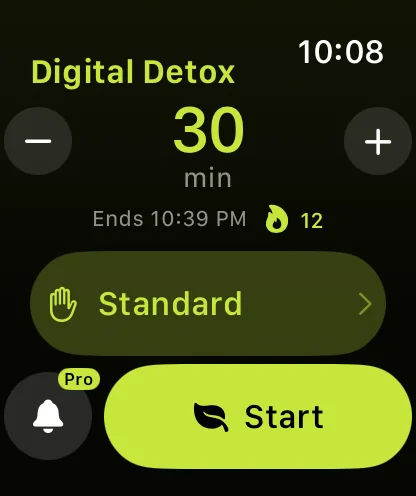
Choose how strict the detox is
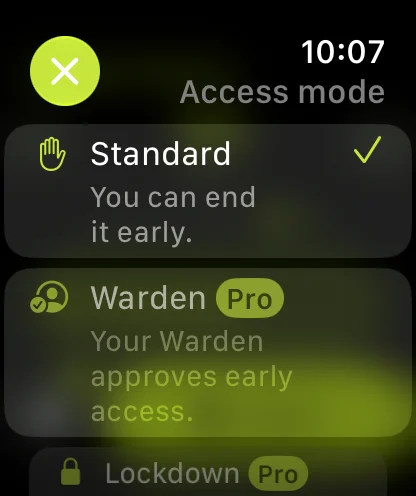
Warden and Lockdown start with a hold instead of a tap, so a strict detox can't begin by accident. The watch opens in Standard every time, which means a Lockdown never starts from a choice you made last week.
| Standard | You can end it early from the watch or the iPhone. Free. |
|---|---|
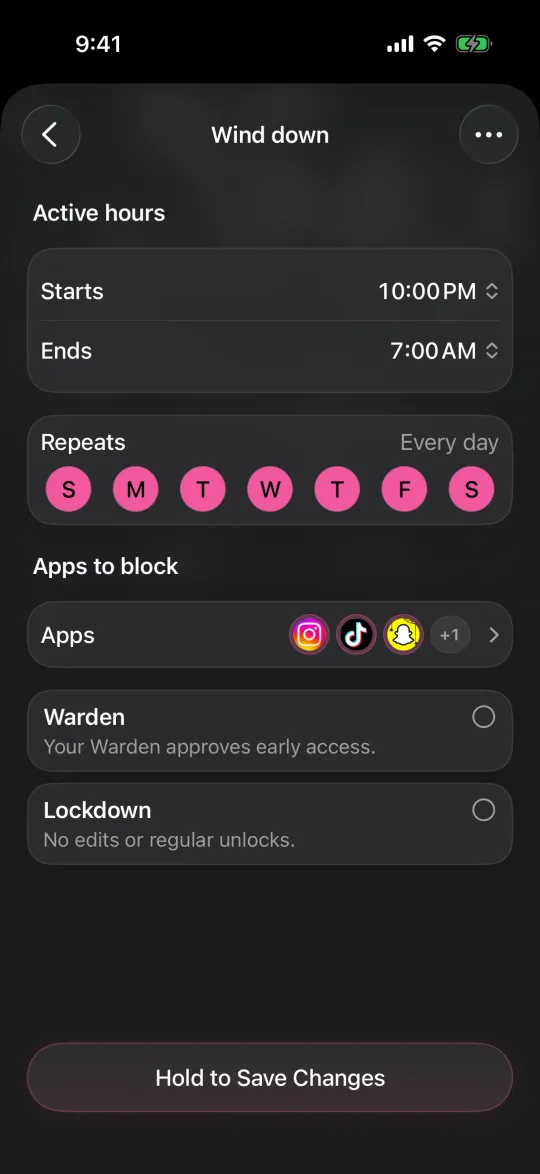
| Warden | Your Warden approves early access. Needs Warden Pro and a connected Warden. |
| Lockdown | Can't be ended early. Emergency access stays on the iPhone. Needs Warden Pro. |
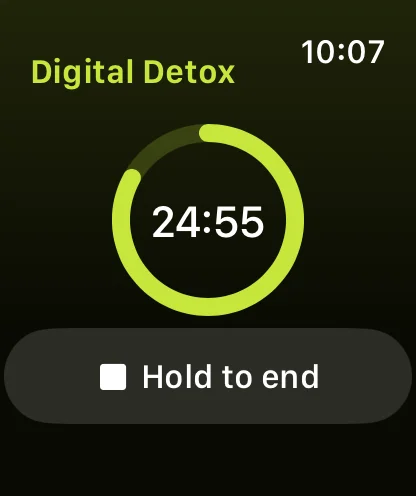
What the watch shows while it runs
A ring empties as the time runs down, with the end time below it. The iPhone shows the same session, and both end together.
In Standard, Hold to end appears when the detox starts and again when you tap the screen; hold it to end early. In Warden or Lockdown the watch explains why it can't end the detox and points you to your Warden or to emergency access on the iPhone.
Start one without opening the app
- Siri: say "Start a digital detox in Warden" to your watch or iPhone. Siri starts a 30-minute Standard detox and tells you when it ends.
- Shortcuts: Warden adds Start Digital Detox and End Digital Detox actions, with the length and the mode as options.
- Watch face: add the Warden complication to see the time left and open the app with one tap.
- Control Center on watchOS 27: press the side button, scroll to the bottom, tap Edit, then add Warden's Digital detox control. It starts a Standard detox at the length you last chose, without opening the app.
Reference: Apple: Use Control Center on Apple Watch
A gym session without the feed
Say you head to the gym at 6 pm and know you will open Instagram between sets. Before you leave, add Phone, Messages and your music app to Always Allowed. At the door, turn the crown to 90 minutes and tap Start. Calls and music still work, and every other app on the iPhone shows the block screen until 7:30.
What it does not do
- It blocks apps on your iPhone. Apps on the watch, and their notifications, carry on as usual.
- The watch sends the request to Warden on your iPhone. If it can't reach the phone, it shows Can't reach your iPhone and nothing starts.
- It leaves your rules alone. Daily limits and schedules you set on the iPhone keep running alongside the detox.