Warden
Remove from Home Screen is not the same as deleting
On iPhone, “Remove from Home Screen” moves an app to the App Library; it doesn’t delete the app. To remove an app entirely, touch and hold it, choose Remove App, then choose Delete App and confirm. You can also find it in the App Library and try there.
If Delete App is missing for an app you downloaded, check the deletion restriction next. Some built-in Apple apps can be removed from the Home Screen but can’t be deleted from the iPhone.
Check the iOS 27 Screen Time setting
Apple’s current troubleshooting guide says to check the Deleting Apps control in Screen Time. On iOS 27, open Settings > Screen Time > Apps & Websites > Restrictions, then make sure Deleting Apps is set to Allowed.
If Screen Time asks for a passcode you don’t know, don’t guess or remove unrelated restrictions. If a parent or family organizer manages the device, ask them to review the setting. On a self-managed phone, use Apple’s official passcode recovery instructions.
Open Settings and tap Screen Time.
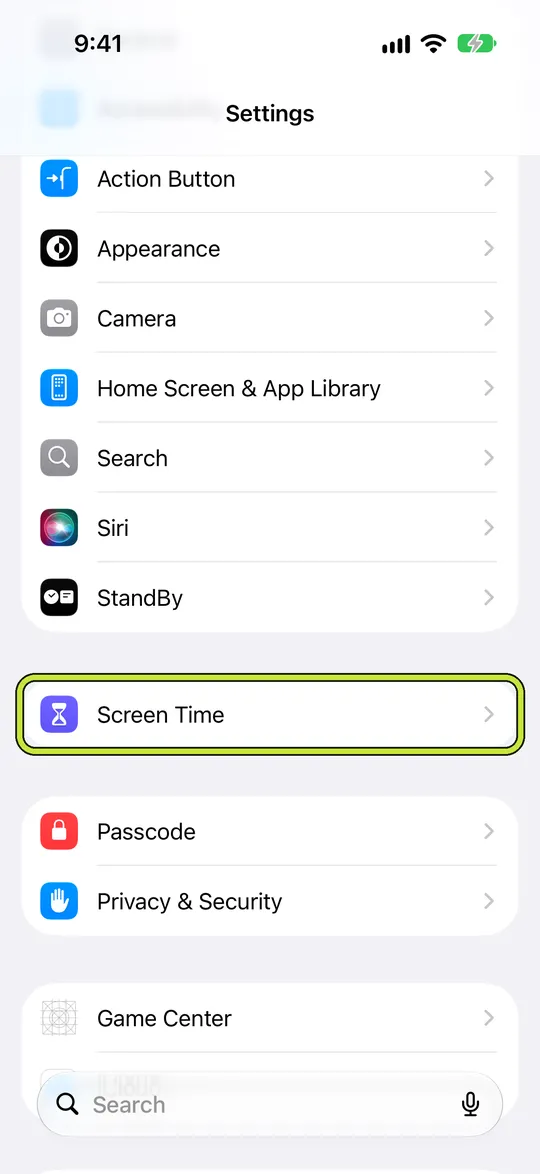
- Tap Apps & Websites, then Restrictions.
- Set Deleting Apps to Allowed, if you’re authorized to change it.
If a parent manages the child’s iPhone
A Screen Time restriction set by a parent or family organizer may be intentional. The child may not be able to change it from their own iPhone. Ask the organizer to check the child’s Screen Time settings from the parent’s device and decide together whether app deletion should be allowed.
The available controls can vary with the software version, family setup, age, and region. Apple recommends using a child’s own Apple Account in Family Sharing and keeping family devices updated so parental-control settings sync. For the wider setup, see our guide to setting up Screen Time for a child.
Check device management and the app itself
If the iPhone belongs to a school or employer, open Settings > General > VPN & Device Management and look for a management profile. An organization can restrict app removal. Contact its administrator before changing or removing a work or school profile.
Apple also recommends checking whether a third-party app restricts how apps can be used. If you use an app blocker or parental-control app, review its own help or contact its developer. Do not assume the Apple Screen Time switch controls every third-party app’s behavior.
Try a built-in app or a missing icon carefully
Some Apple apps can’t be deleted, and availability can differ by country or region. If the app is only missing from a Home Screen page, search for it in the App Library first. Removing a Home Screen icon and deleting the installed app are different actions.
For an ordinary downloaded app, update iOS, repeat the steps from its App Library icon, and note exactly which menu options appear. If the Screen Time setting is already Allowed but Delete App is still missing, capture the app name, iOS version, and menu for Apple Support rather than resetting the phone first.
Before you delete an app
Deleting an app removes it and its local data from the iPhone. Data already stored in iCloud may remain. Deleting an app also does not automatically cancel its App Store subscription, so check Subscriptions in your Apple Account if you no longer want to be billed.
If you only want a cleaner Home Screen, choose Remove from Home Screen instead. If you want to free space while keeping documents and data, check whether Offload App is available; offloading is different from deletion.
Example: narrow down the blocker
A downloaded game no longer shows “Delete App.” First check Settings > Screen Time > Apps & Websites > Restrictions > Deleting Apps. If it is Allowed, check whether the iPhone has a school or work management profile, then try the app’s menu in App Library. This helps separate an iOS restriction from a managed or third-party app rule; it may not identify every cause.
Leave other parental controls in place while you test. If only a built-in Apple app lacks a delete option, check whether that app can be removed in your region.